// interface · concept
The best interfacefits the moment.
The best interface is contextual. We’re obsessively reimagining how people interact with technology and finding ways to integrate AI into everything they use. We’re building Apprentice across your apps, with very little interface of its own, adapting to what you’re doing and how you want to interact.
Different ways into the same collaborator.Choose an interface ↓
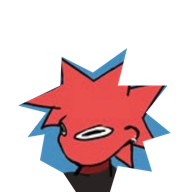
A character beside your work
Always within reach, with very little interface of its own.




A presence on your desktop.
Close to the work.
A floating character you can speak to, type into, or interact with. It stays alongside the apps you’re already using.
Character → text or voice
Help me understand this.A small field beside the character.
Type without switching apps.
Bring up the text field and ask for what you need. The work stays in its app, with Apprentice alongside it.
Mascot or keyboard shortcut → text field
Already writing? Use the field mascot ↓Voice popout
Speak while you work.
Use the voice shortcut to talk to Apprentice. Ask a question, think through a decision, or hand over a task without switching apps.
Voice shortcut → popout
Dictate directly into a text field ↓Call
Share screen
Show it what you mean.
Call Apprentice from your iPhone. Share your screen so the conversation can be about what you’re looking at, right where you are.
Phone → call + screen context
Inbox
A fuller view when you need one.
Pick up the work.
See what Apprentice is working on and what needs your attention. Return to a conversation, review a result, or open settings.
Inbox + settings → work and controls
The interface changes. The work stays in your apps.
The field mascot.
Right beside the text.
The field mascot sits beside the text box you’re working in. Press Right Option to rewrite the field, or select text in a document and rewrite just that selection. You can also dictate straight into the field.
Rewrite a text box.
A rough draft becomes a clearer message, in the same field.
Rewrite a selection.
Only the highlighted passage changes. The rest stays as written.
Quick project update. we’re a bit behind cause the review took longer but should have it done by friday. I’ll share the final files once they’re ready.
Dictate into the field.
Speak your message. Your words appear where you’re already writing.
Try the buttons to see prepared examples. In Apprentice, Right Option rewrites the field or selection you’re working on.
We’re building Apprentice as a meta command layer across your apps, with very little interface of its own. You can talk, type, or show it what you’re looking at without moving the work into another app.
An interface concept based on Apprentice’s entry points. The visual uses simplified representations and example inbox content.